Agentic AI
Pattern System

JPMorganChase

Year

2025 - ongoing

Company

JPMorganChase

Role

Lead Senior UX Designer

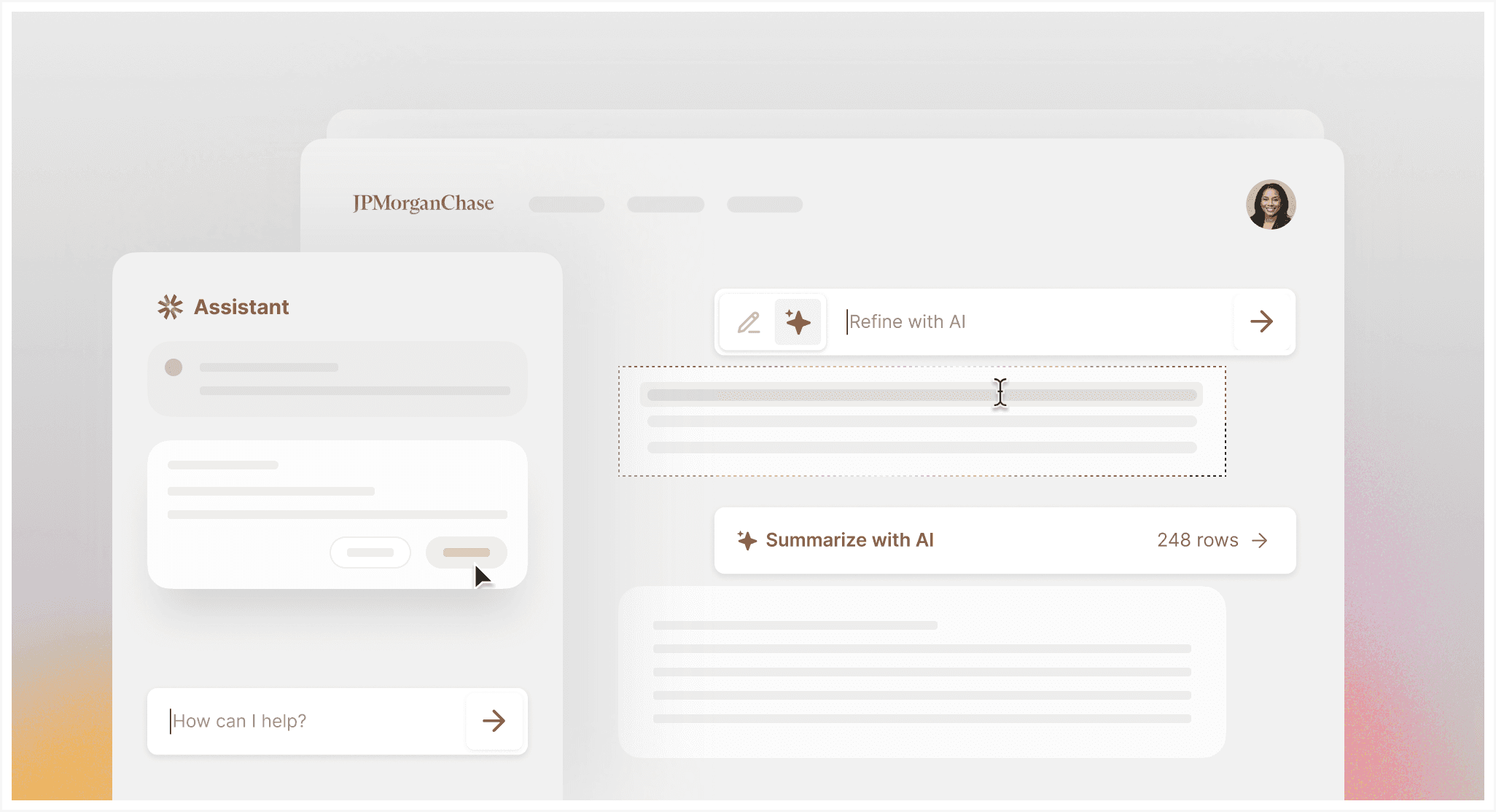
I designed an agentic AI pattern system that helps product teams decide when AI belongs in a workflow, where it should appear, and how users remain in control.

© Agentic Pattern System
Overview

Designing a shared language

Designing a shared language

Designing a shared language

for enterprise AI

AI was appearing across employee tools, from drafting and summarizing to autofilling forms and supporting complex tasks. But similar capabilities were being designed through different entry points, placements, and interaction models.

I led the creation of a shared system that helped teams design AI experiences more consistently, without forcing every workflow to look the same.

CHALLENGE

No shared logic for how AI should appear

ROLE

Led patterns, framework and adoption guidance

SCALE

30+ products and 100+ designers

OUTCOME

A consistent foundation for enterprise AI

The turning point

AI was spreading faster

AI was spreading faster

than the system around it

than the system around it

Across employee products, teams were adding AI to help people draft, summarize, complete forms, and make sense of dense workflows. But each team was solving the interaction model in isolation.

What looked like small placement differences created a bigger product problem: users had to relearn what AI meant from screen to screen.

Pattern Gap

AI was showing up everywhere, but behaving differently

Across products, teams were adding similar AI capabilities through completely different surfaces: floating buttons, sparkle icons, toolbars, summary banners, side sheets, and chat launchers.

A drafting action might appear inline in one product, inside a toolbar in another, or behind a floating button somewhere else.

The inconsistency was behavioral: where AI started, what it changed, how much users could review, and what happened when they needed to undo or recover.

Same capability, different entry

Same task, different entry

Same icon, different behavior

Different levels of user control

Control varied by surface

No shared recovery model

The reframe

The ask evolved

The ask evolved

from components
to decision-making

from components
to decision-making

Reusable components could standardize the interface, but they could not tell teams whether AI belonged in a workflow or what kind of relationship it should have with the user.

I reframed the system around four decisions.

The framework

Matching the AI surface

Matching the AI surface

to the workflow

to the workflow

Instead of treating every AI feature as a chatbot, I created a framework that helped teams choose the right AI surface based on the user’s task, context, and level of control needed.

Each pattern answered a different workflow need: completing structured input, summarizing dense information, editing in place, or supporting multi-step decisions.

AI Autofill

Pattern A

For repetitive, structured input

AI Summary Cards

Pattern B

For understanding dense information

Inline Actions

Pattern C

For focused content creation and editing

Assistant Side Sheet

Pattern D

For contextual and multi-step support

Decision model

Choosing the

Choosing the

right altitude for AI

right altitude for AI

To make the framework actionable, I mapped AI patterns across two dimensions: what the user is trying to do, and how much of the interface the AI needs to occupy. This helped teams move beyond “where should we put an AI button?” toward a more structured decision: whether the experience should live at the portal, workflow, section, or field level.

Trust

Trust is built

into the interaction

Trustworthy AI is not a visual style. It comes from helping users understand, inspect and control what AI does.

Principle

Prototype / Interaction

Purpose

System Status

Set expectations

Show capability and limitation before assistant starts.

Make the AI’s role clear before the interaction begins.

Documented

Make outputs inspectable

Open a citation and highlight the supporting source.

Keep generated answers connected to evidence.

Patternized

Require meaningful approval

Preview a proposed action before it changes the product.

Separate AI suggestions from consequential actions.

Patternized

Support recovery

Apply an AI action, then show activity history and undo.

Give users a path to correct or reverse the outcome.

Patternized

Pattern spotlight

Making summaries useful

without hiding the source

The AI Summary Card became one example of how the system combined usefulness with transparency. It stays lightweight when inactive and reveals more context as the user engages with it.

States

Sources

Guidelines

Specs

From lightweight entry to useful summary

The pattern starts as a compact invitation, expands only when requested, and keeps the page structure intact.

Human-like ai chat generative ai feature

Deliver fast, natural conversations powered by AI without increasing your support team.

Smart system integration

Easily connect channels, tools, and workflows to power unified support across your ecosystem.

Chats that feel human but powered by AI

Deliver instant, intelligent, and always-on support — without scaling your team.

States

Sources

Guidelines

Specs

From lightweight entry to useful summary

The pattern starts as a compact invitation, expands only when requested, and keeps the page structure intact.

Human-like ai chat generative ai feature

Deliver fast, natural conversations powered by AI without increasing your support team.

Smart system integration

Easily connect channels, tools, and workflows to power unified support across your ecosystem.

Chats that feel human but powered by AI

Deliver instant, intelligent, and always-on support — without scaling your team.

Scale

More than a library

More than a library

of AI components

of AI components

The final system connected reusable interfaces with guidance for placement, behavior and oversight. Teams could adapt the patterns to their products while preserving a consistent interaction model.

Foundation

trust principles

Decision guidance

AI role, scope and risk

Patterns

autofill, inline, summary, side sheet, and more

Product application

real employee workflows

Impact

The system reduced duplicated AI design exploration, accelerated product delivery and created more predictable interaction models across employee tools.

Adopted across

30+

30+

products

Used by

100+

100+

designers

Designed for

300K+

300K+

employees

Unified by

1

1

AI pattern system

Created by

© 2026 All rights reserved

Created by

© 2026 All rights reserved

Created by

© 2026 All rights reserved